Bring door wiring together.
Connect readers, locks, door contacts and exit buttons at the controller. The port reference below identifies the terminals and status indicators.

Access Controllers
Explore FCC4904 for your access controllers requirements. Contact our team to confirm the configuration for your project.
Explore DejaOS development ↗FCC4904
Explore FCC4904 for your access controllers requirements. Contact our team to confirm the configuration for your project.
Explore the specifications ↓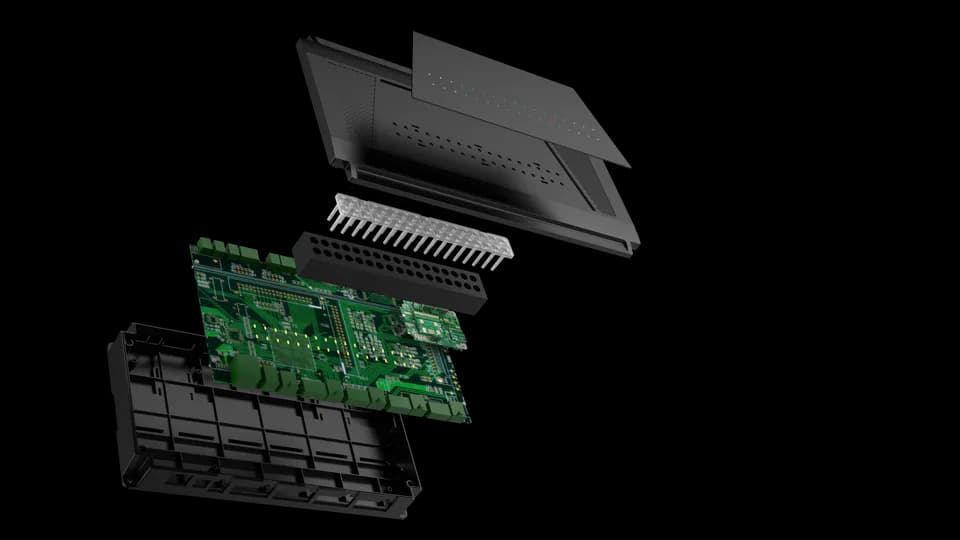
Connect readers, locks, door contacts and exit buttons at the controller. The port reference below identifies the terminals and status indicators.
| Door connections | Four lock connections with relay outputs and door-contact inputs |
|---|---|
| Reader connections | Four RS485 reader ports |
| Exit buttons | Four exit-button inputs |
| Auxiliary inputs | Fire-alarm and tamper inputs |
| Network | Ethernet |
| Power connection | Use one of the two power inputs; external supply input is 12 V |
Modules, accessories and software are selected for the project. Features described as options are not included in every configuration.
Manual · English · PDF · 407 KB
Integration guide · English · PDF · 344 KB
Tell us which credentials people will use, where the device will be installed, which interfaces are required and what should happen in the software workflow. A mounting drawing, host-equipment description or simple process diagram helps us identify the questions that must be confirmed before recommending a configuration.
No. Credential modules, interfaces, mounting parts, network options and software can vary within the same product family. Confirm the exact model and selected options in writing before designing an enclosure, cable set or integration around it.
Use the download center when a reviewed public file is available. If a file is not listed, send the exact overseas model and document type to our team so we can check the applicable revision and whether it is cleared for release.
Start with the credential, mounting, interfaces and software flow that matter to the final installation. Confirm the sample configuration in writing, test it in the intended environment and record any differences before planning a larger rollout.
DejaOS provides a JavaScript development environment for supported devices. Developers can build device interfaces and application workflows using the modules available for the selected hardware, SDK and firmware.
No. Check support for the exact overseas model and configuration before choosing a development device. Use the current official documentation and confirm the matching SDK, firmware and hardware modules.
FCC4904 / Your next step
Tell us your application, installation environment and quantity. We can help with product selection, documentation and the next steps.