
Access hardware
FCS525
Access keypad and IC card reader
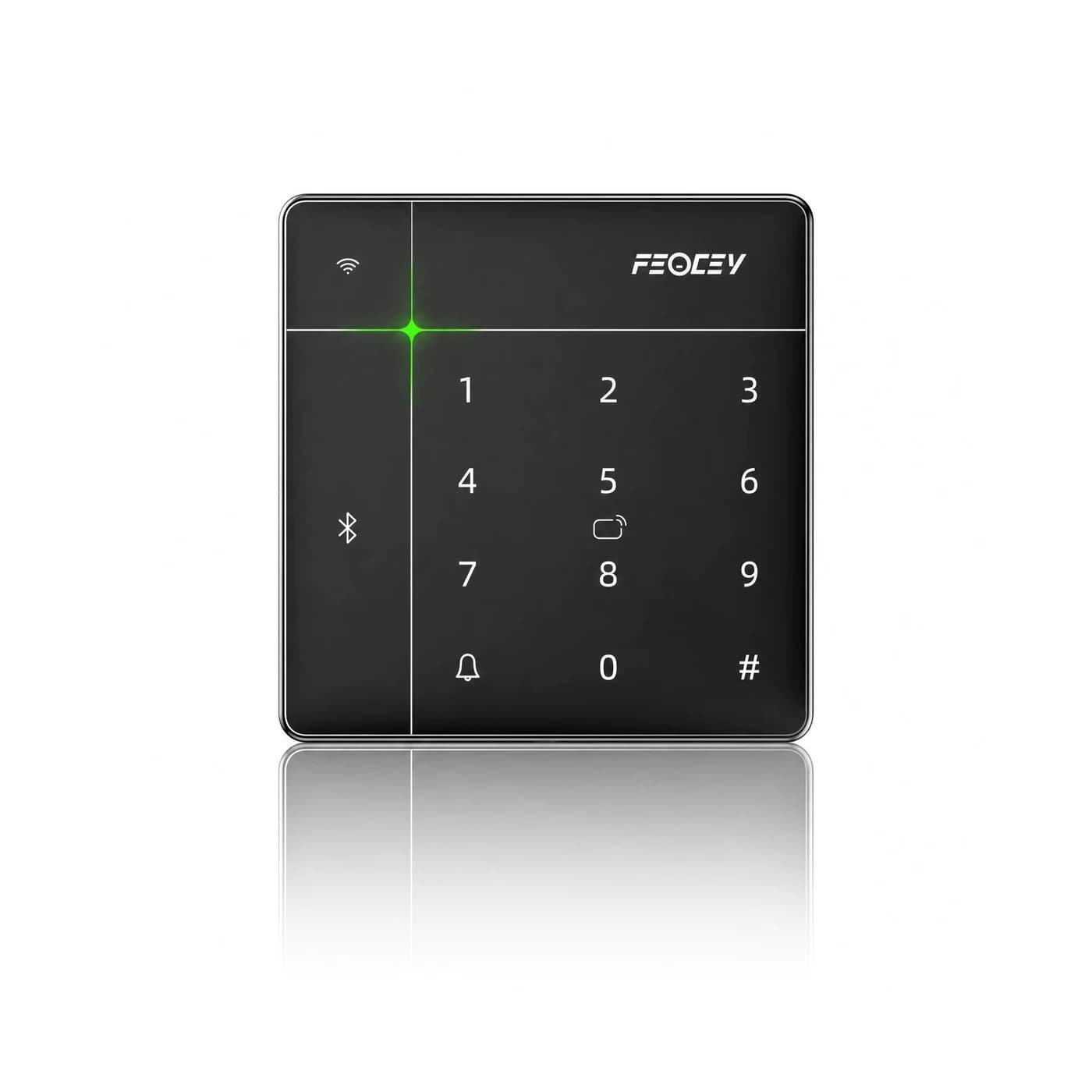
A keypad at the entrance.
A touch keypad and IC card reader for access-control installations. FCS525 combines a numeric interface with Wiegand, doorbell and relay connections.
- Touch keypad & IC card
- 86-box installation
- 12 V DC
Technical details
A closer look.
Options vary by configuration. Use these details to plan your evaluation.
| Keypad | 12 capacitive touch keys: 0–9, doorbell and # |
|---|---|
| Construction | IML front panel, aluminum-alloy frame and sheet-metal rear bracket |
| Access methods | IC card and keypad password; Bluetooth workflows depend on application setup |
| Interfaces | Wiegand 26/34, doorbell control and relay |
| Power input | 12 V DC |
| Mounting | 86-box installation |
Installation & connections
Plan the fit.
- Confirm the 86-box opening and mounting plate with the installation drawing.
- Confirm the Wiegand connection, doorbell circuit and relay wiring before installation.
Product resources
Manuals & drawings.
Documents for FCS525 →Need the FCS525 manual, specification or installation drawing? We’ll help you find the document for your configuration.
Request documentsA few things worth knowing.
What should I share when choosing a device?
Tell us which credentials people will use, where the device will be installed, which interfaces are required and what should happen in the software workflow. A mounting drawing, host-equipment description or simple process diagram helps us identify the questions that must be confirmed before recommending a configuration.
Does every configuration include the same features?
No. Credential modules, interfaces, mounting parts, network options and software can vary within the same product family. Confirm the exact model and selected options in writing before designing an enclosure, cable set or integration around it.
How can I get a manual or datasheet?
Find available documents by model in the download center. If the manual, specification or installation drawing you need is not listed, send the model and configuration to our team so we can identify the matching document.
Your next step
Let’s put FCS525
in your project.
Tell us where it will be used, how it should connect and the quantity you need.