
Smart Locks
X-Gen 1 Smart Lock 004
Explore your project configuration
Tell us the lock or accessory you need. Our team will confirm the matching product and documentation.
Designed for your workflow.
X-Gen 1 Smart Lock 004
Find the right fit for your project.
Confirm the device type and matching hardware with our team.
Explore the specifications ↓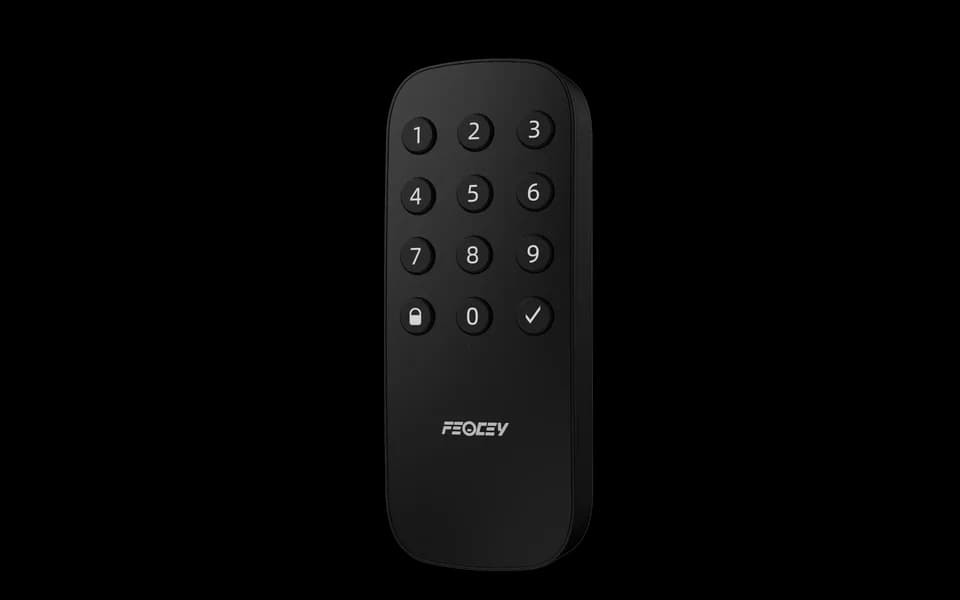
Choose your configuration.
Confirm the device and its role in your access system with our team.
Specifications at a glance.
| Product | X-Gen 1 Smart Lock 004 |
|---|---|
| Selection | Contact our team to confirm the device type, matching lock and available functions for your project. |
For the full parameter table, dimensions and configuration-specific interfaces, request the current specification from our team.
Plan the installation.
- Share the installation location, mounting space and host system with our team to confirm the matching configuration.
- Request the installation drawing and interface reference for your chosen configuration before preparing the mounting or wiring.
Manuals & specifications.
Looking for the X-Gen 1 Smart Lock 004 manual, specification or installation drawing? Tell us which information you need and we will help identify the right document.
Request documentsA few things worth knowing.
Can we select a lock from its front design alone?
No. Confirm door material, thickness, handedness, existing holes, backset and lock-body requirements before selecting a configuration. Photographs of both sides and the door edge, together with measurements, are more useful than a front view alone.
What information is useful for a smart lock project?
Tell us who issues access, which credentials are planned, how permissions are updated, the expected offline behavior and how the door is prepared. Credential, gateway and management capabilities depend on the selected configuration and must be confirmed together.
Does registering a person automatically grant access?
Not necessarily. Identity enrollment and access permission are separate steps in many systems. Confirm that the person, credential, target device, schedule and permission group have been linked and that the authorization was delivered successfully.
Is a network connection the same as a connection to the management platform?
No. A device can have local network access without maintaining its platform or messaging connection. Check the physical network, IP settings and service connection separately, using the indicators or logs available for the selected system.
What should I share when choosing a device?
Tell us which credentials people will use, where the device will be installed, which interfaces are required and what should happen in the software workflow. A mounting drawing, host-equipment description or simple process diagram helps us identify the questions that must be confirmed before recommending a configuration.
Does every configuration include the same features?
No. Credential modules, interfaces, mounting parts, network options and software can vary within the same product family. Confirm the exact model and selected options in writing before designing an enclosure, cable set or integration around it.
X-Gen 1 Smart Lock 004 / Your next step
Let’s find your configuration.
Tell us your application, installation environment and quantity. We can help with product selection, documentation and the next steps.