
Face Terminals
FCV4914
5.5-inch compact face terminal
Compact wall-mounted identity and access workflows
Explore DejaOS development ↗Designed for your workflow.
FCV4914
5.5-inch compact face terminal
Compact wall-mounted identity and access workflows
Explore the specifications ↓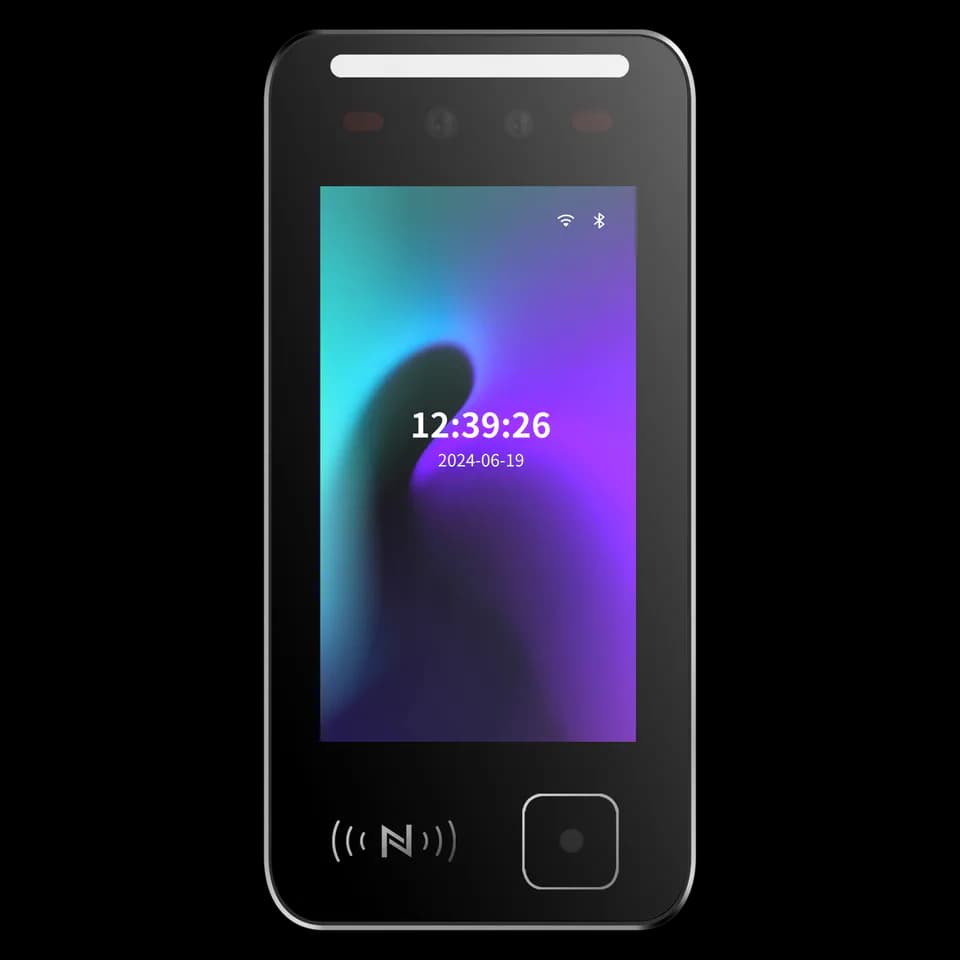
Choose your configuration.
The right configuration starts with your application, installation space and system interfaces. Review the information below and tell us what your project needs.
Specifications at a glance.
| Display | 5.5-inch display |
|---|---|
| Credentials | Face, QR code and card options by configuration |
| Installation & interfaces | Wall-mount or pedestal configurations; network and access-control interfaces vary |
| Configuration | Mounting, credential methods, environmental options and interfaces must be confirmed for the selected configuration. |
For the full parameter table, dimensions and configuration-specific interfaces, request the current specification from our team.
Plan the installation.
- Wall-mount or pedestal configurations; network and access-control interfaces vary
- Request the installation drawing and interface reference for your chosen configuration before preparing the mounting or wiring.
Start with your application.
- Visitor entry
- Employee access and attendance
- Video intercom workflows
- Member and venue check-in
Application directions for discussion. Compatibility and software scope are confirmed for the selected configuration.
Explore use cases →Manuals & specifications.
Looking for the FCV4914 manual, specification or installation drawing? Tell us which information you need and we will help identify the right document.
Request documentsA few things worth knowing.
What lighting conditions should we consider?
Strong backlight, direct sunlight, reflections and close-range lighting can reduce capture quality. Evaluate the terminal in its intended position and avoid pointing the camera directly toward a bright window or concentrated light source.
What kind of enrollment photograph should we use?
Use a clear, front-facing JPG without beauty filters, heavy makeup, sunglasses, a mask or other facial obstruction. File size and image dimensions can vary by software and model, so confirm the current import requirements before preparing a large enrollment set.
What should we confirm before connecting a face terminal to the network?
Confirm whether the selected configuration uses wired networking, Wi-Fi or another connection method, then collect the network and platform settings required by that system. A local network connection does not by itself prove that the device is connected to the management service, so verify both states separately.
What is DejaOS used for?
DejaOS provides a JavaScript development environment for supported devices. Developers can build device interfaces and application workflows using the modules available for the selected hardware, SDK and firmware.
Does every Feocey product support DejaOS?
No. Check support for the exact overseas model and configuration before choosing a development device. Use the current official documentation and confirm the matching SDK, firmware and hardware modules.
What should I share when choosing a device?
Tell us which credentials people will use, where the device will be installed, which interfaces are required and what should happen in the software workflow. A mounting drawing, host-equipment description or simple process diagram helps us identify the questions that must be confirmed before recommending a configuration.
FCV4914 / Your next step
Let’s find your configuration.
Tell us your application, installation environment and quantity. We can help with product selection, documentation and the next steps.